RotaryCell / build guide
Set up the SIM
This part was straightforward in my build. I used this inexpensive SpeedTalk Mobile physical SIM, activated it on the provider's website with a new telephone number, put it in the LilyGO and powered the board on. It registered and worked without any additional APN or modem configuration.
The linked kit is a triple-cut SIM. Separate the nano-SIM section for the LilyGO socket. The plan I selected includes voice minutes as well as small text and data allowances. RotaryCell does not require a substantial data allowance or a texting plan for ordinary telephone calls; voice service is the part that matters.
1. Activate the line
Go to the provider's activation page and enter the SIM number printed on the card. Choose a new telephone number or follow the provider's porting procedure if you want to move an existing number. Complete activation before installing the SIM.
Plans and prices change, so choose the least expensive current plan that still includes ordinary cellular voice service and enough minutes for your use.
2. Install the SIM
Turn the LilyGO off. Insert the activated nano-SIM into the modem's SIM holder, connect the cellular antenna and then power the controller. Do not insert or remove the SIM while the board is powered.
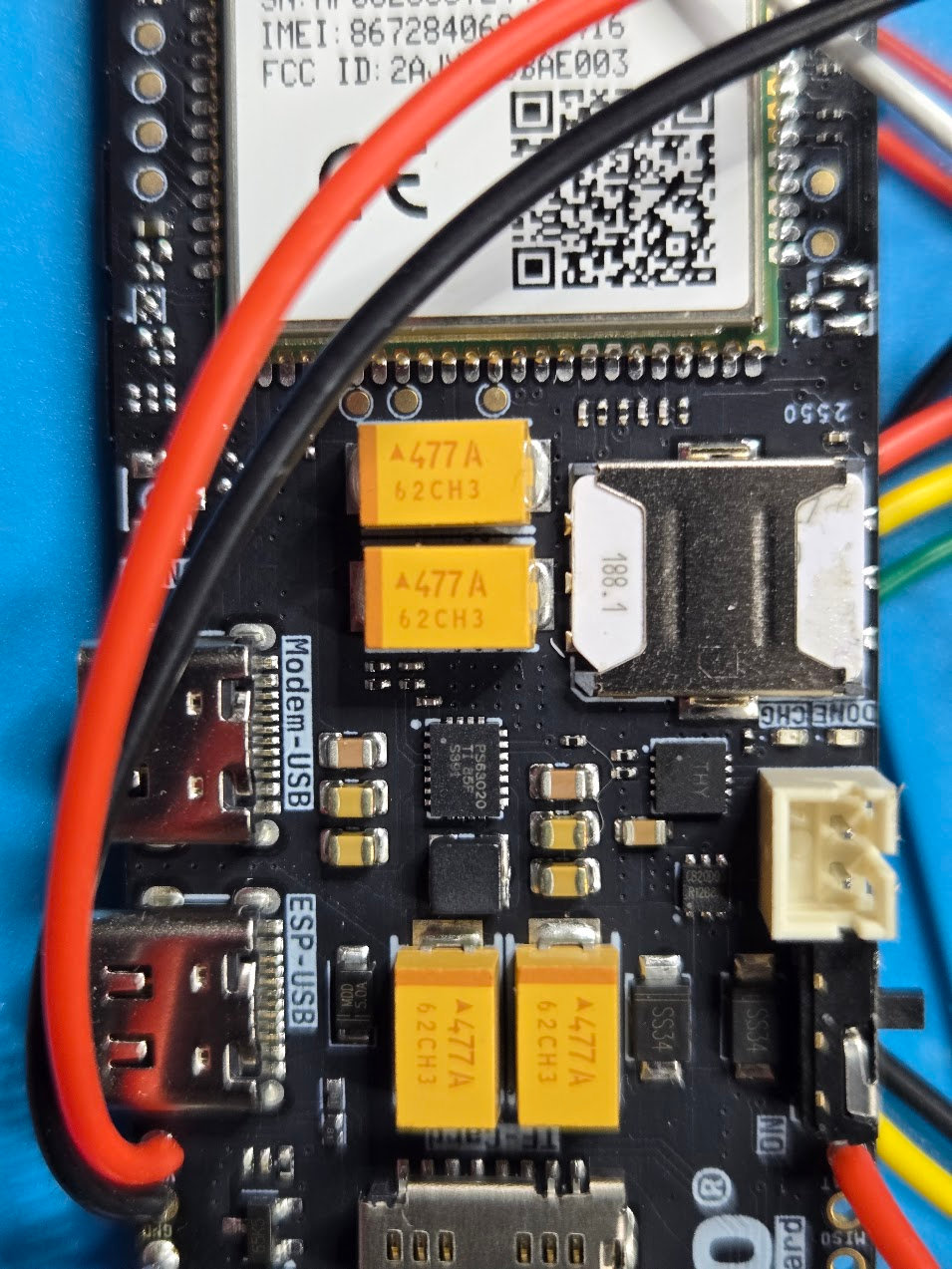
3. Confirm registration
Open the Arduino Serial Monitor at 115200 baud or use the maintenance web console. During startup, look for:
+CPIN: READY
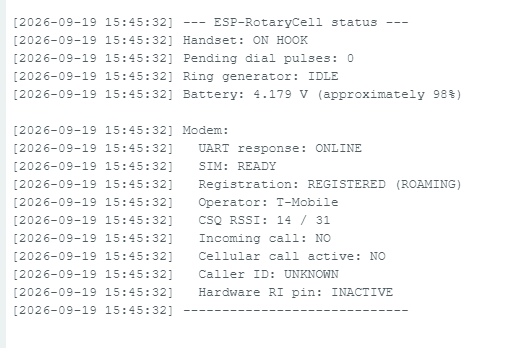
Once the modem has joined the network, enter S at the console. The status
report should show UART response: ONLINE, SIM: READY, a registered cellular
state and the operator name. Registration may be reported as REGISTERED
(ROAMING) when the service provider is using another carrier's network; that
state worked normally in this build.
Finish with one outgoing and one incoming call. That verifies voice service, the assigned telephone number and incoming-call routing rather than merely confirming that the modem can see the network.
Other SIMs
The SpeedTalk SIM is simply the one I bought and confirmed. Another activated physical SIM should also work when its plan includes voice service, the carrier supports the A7670G modem and its LTE bands, and there is compatible coverage where the telephone will be used. A data-only or IoT SIM is not sufficient for this project, and network registration alone does not prove that the carrier will complete voice calls for the modem.